

Some screenshots predate the current UI. Where a screenshot and this page disagree (for example, the older
Settings layout), this page is correct.- operational controls
- risk parameter updates
- cap and allocation limits
- rewards and timelock workflows
Navigation
The vault manager UI is organized into tabs:OverviewCollateralRatesAllocationPrincipal CapsSettingsTimelocksRewards
- inline field edits
- row-level
Resetwhen a row has unsaved changes - a
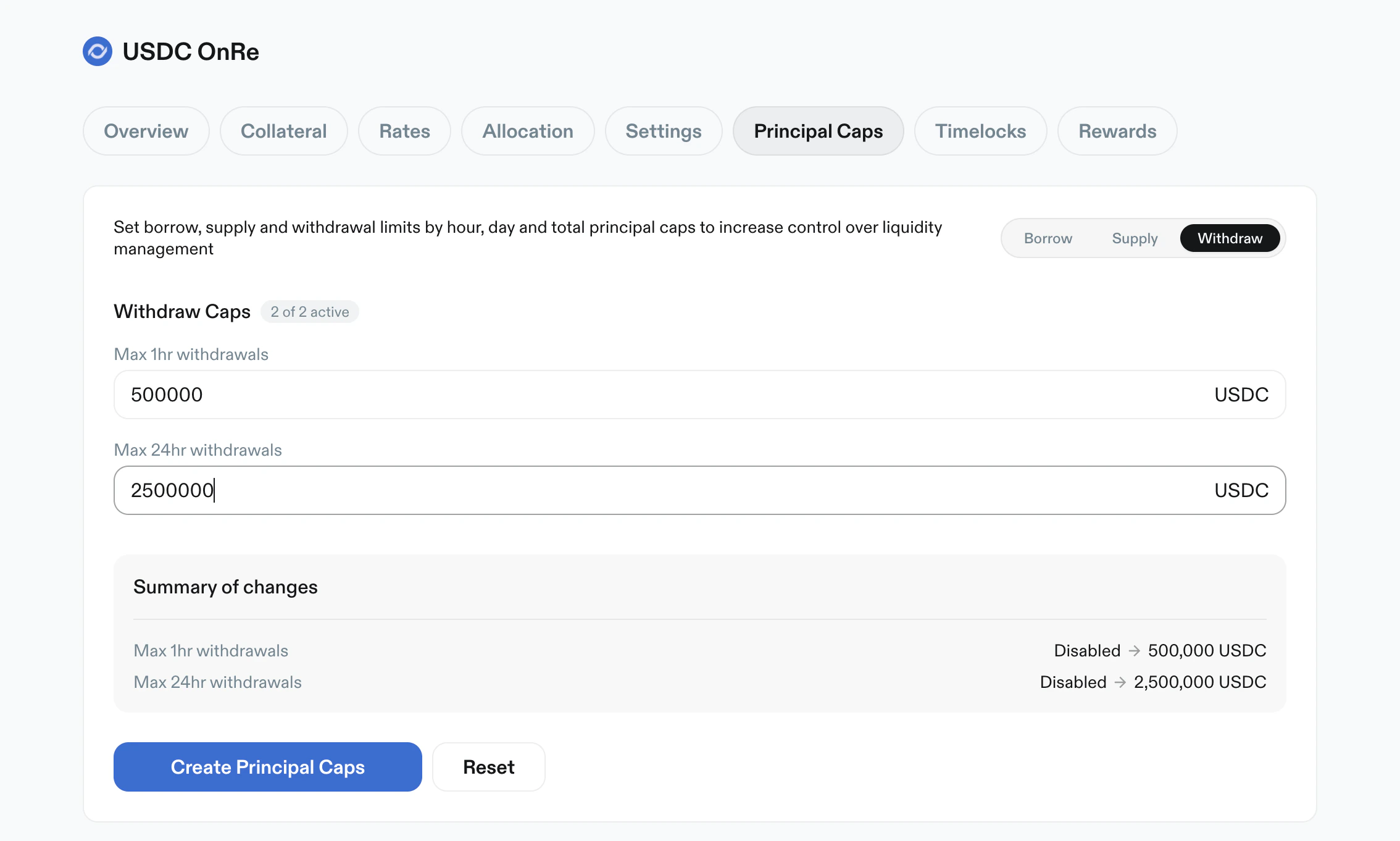
Summary of changespanel - a primary apply action (
Save changes,Create Limits, orCreate Principal Caps) - a page-level
Resetaction
Overview
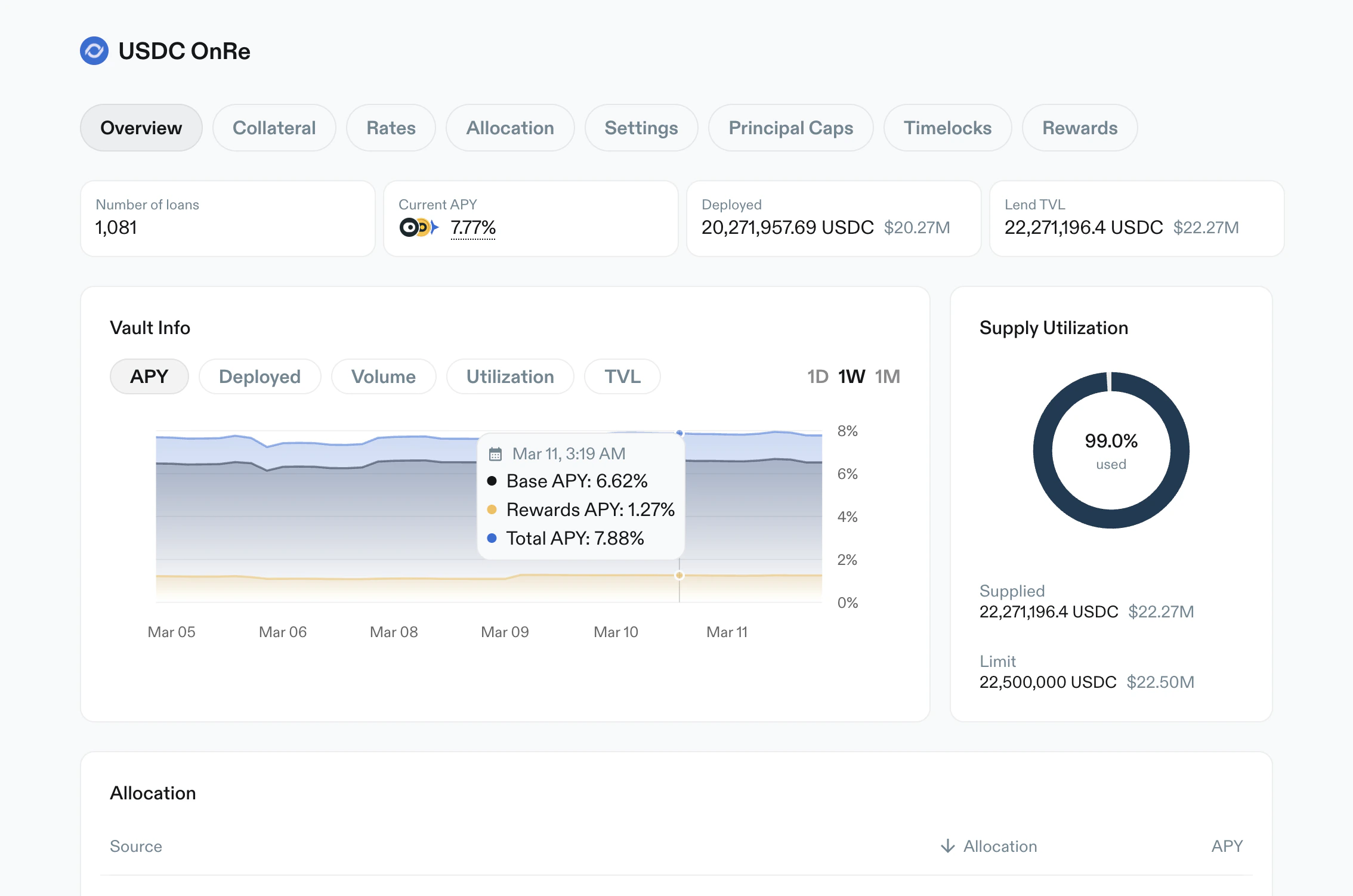
Purpose: high-level monitoring and vault metadata. Key elements:- Metric cards:
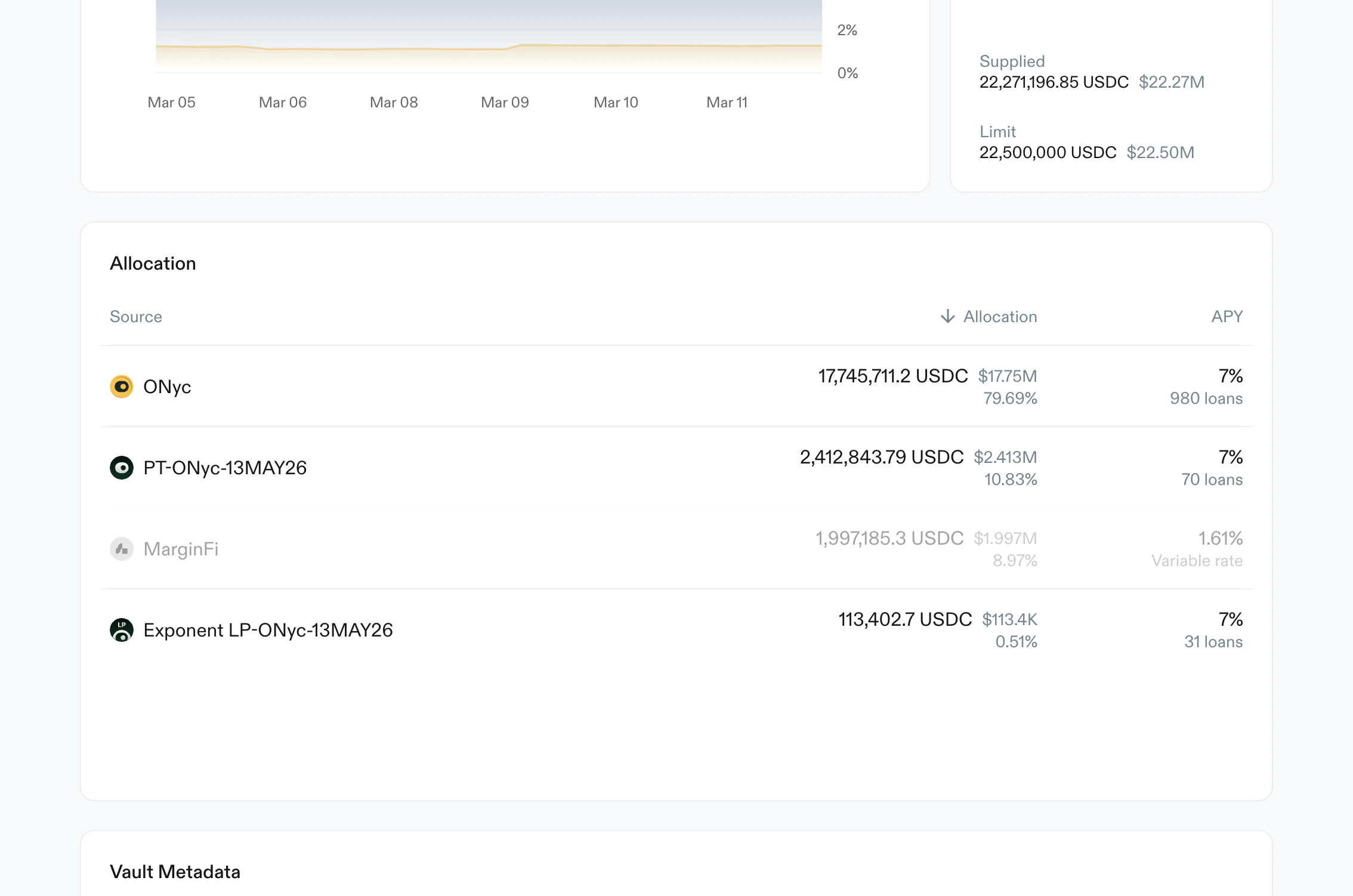
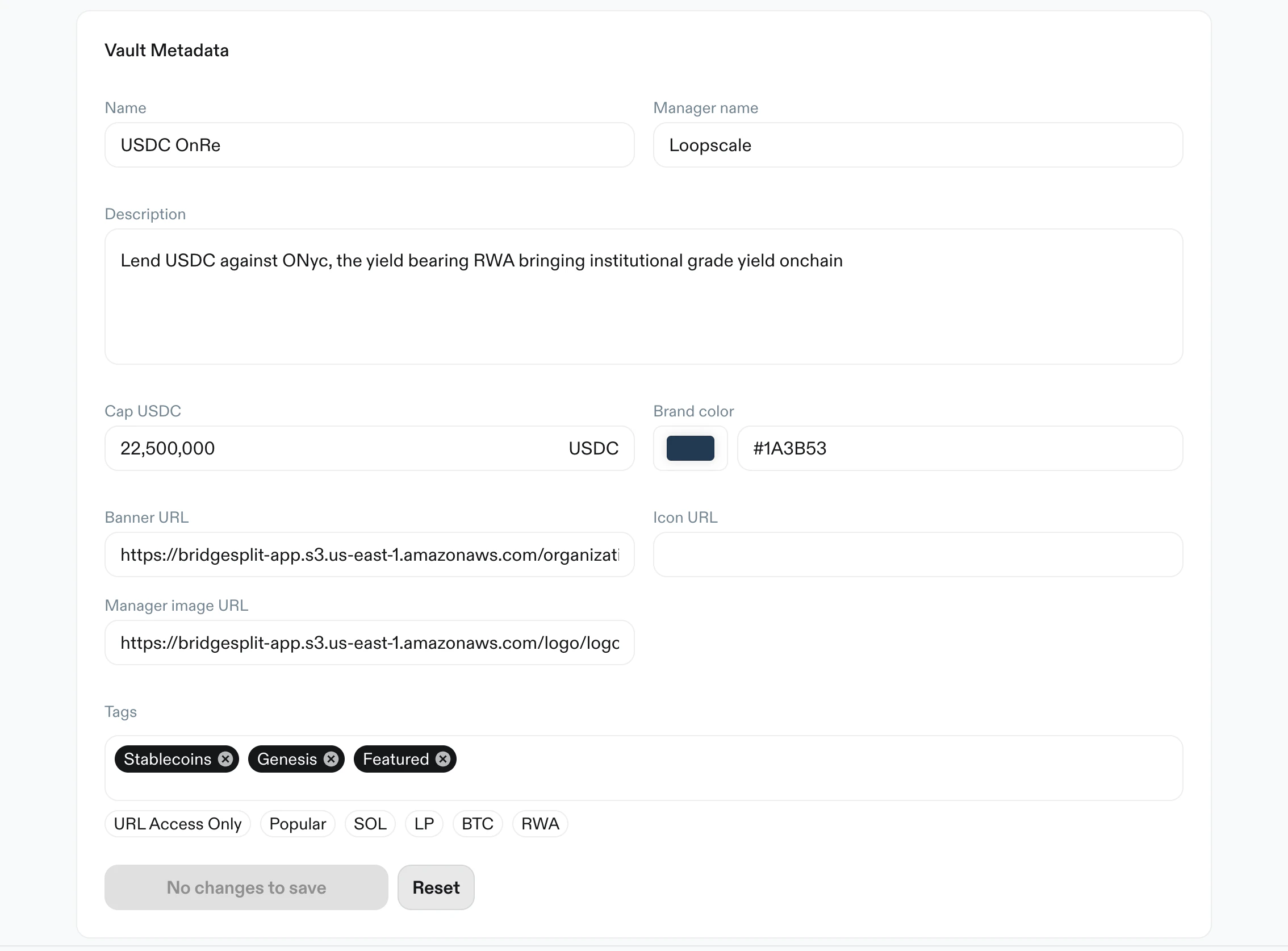
Number of loans,Current APY,Total volume,Total interest Vault Infochart with metric selectors (APY,Deployed,Utilization,TVL) and time ranges (1D,1W,1M)Supply Utilizationdonut with used %, supplied amount, and vault limitAllocationtable with source, allocation amount/share, APY context, and pagination. Collateral rows link to the vault’s loans against that assetVault Metadataform for name, manager name, description, cap, theme color, banner, icon, and manager image URLs, andURL Accesstags
Collateral
Purpose: define allowed collateral assets and core risk limits per asset. Key elements:- Warning: increasing LTV triggers a 24-hour timelock
+ Add collateralaction- Search and filter controls
- Table fields per token:
LTVLiquidation LTV- Delete action
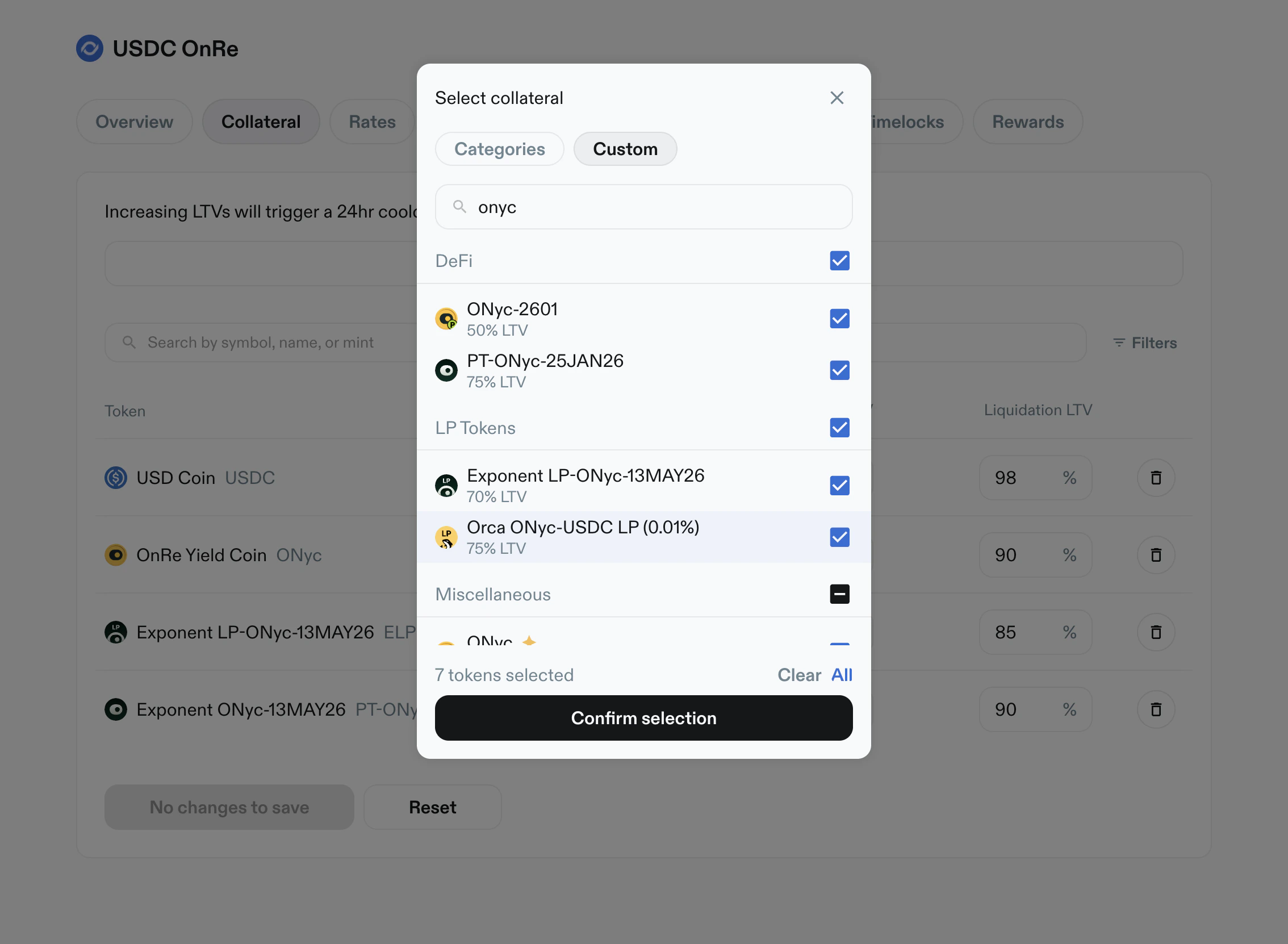
- Add-collateral modal:
- category and custom views
- token/address search
- multi-select with
Clear,All, andConfirm selection - lists collateral with a Loopscale-verified market configuration, whether or not your wallet holds it
- oracle choice when an asset has more than one verified oracle
- assets with a pending add can’t be selected again until the timelock executes or is cancelled in
Timelocks
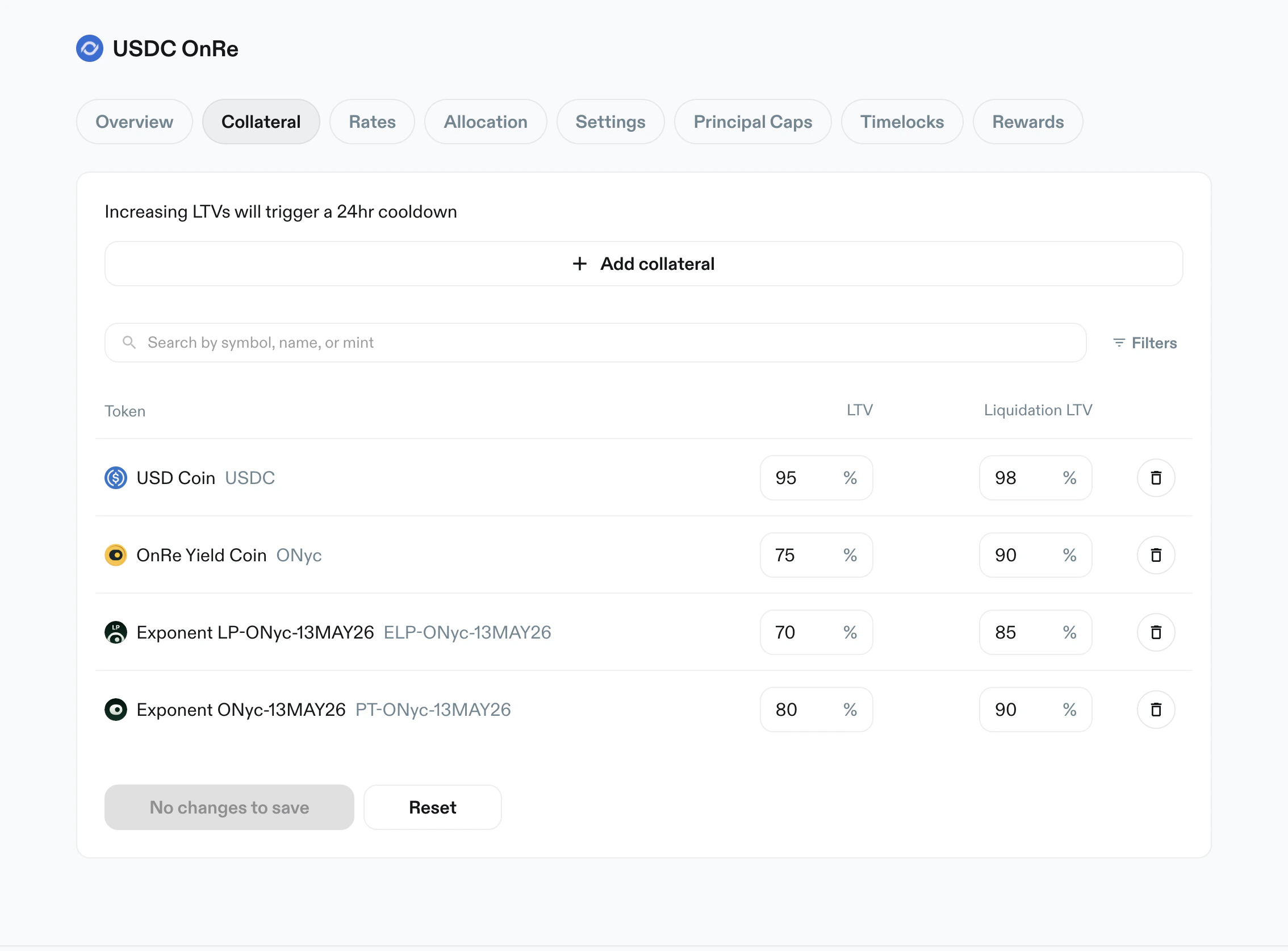
LTV and Liquidation LTV values.
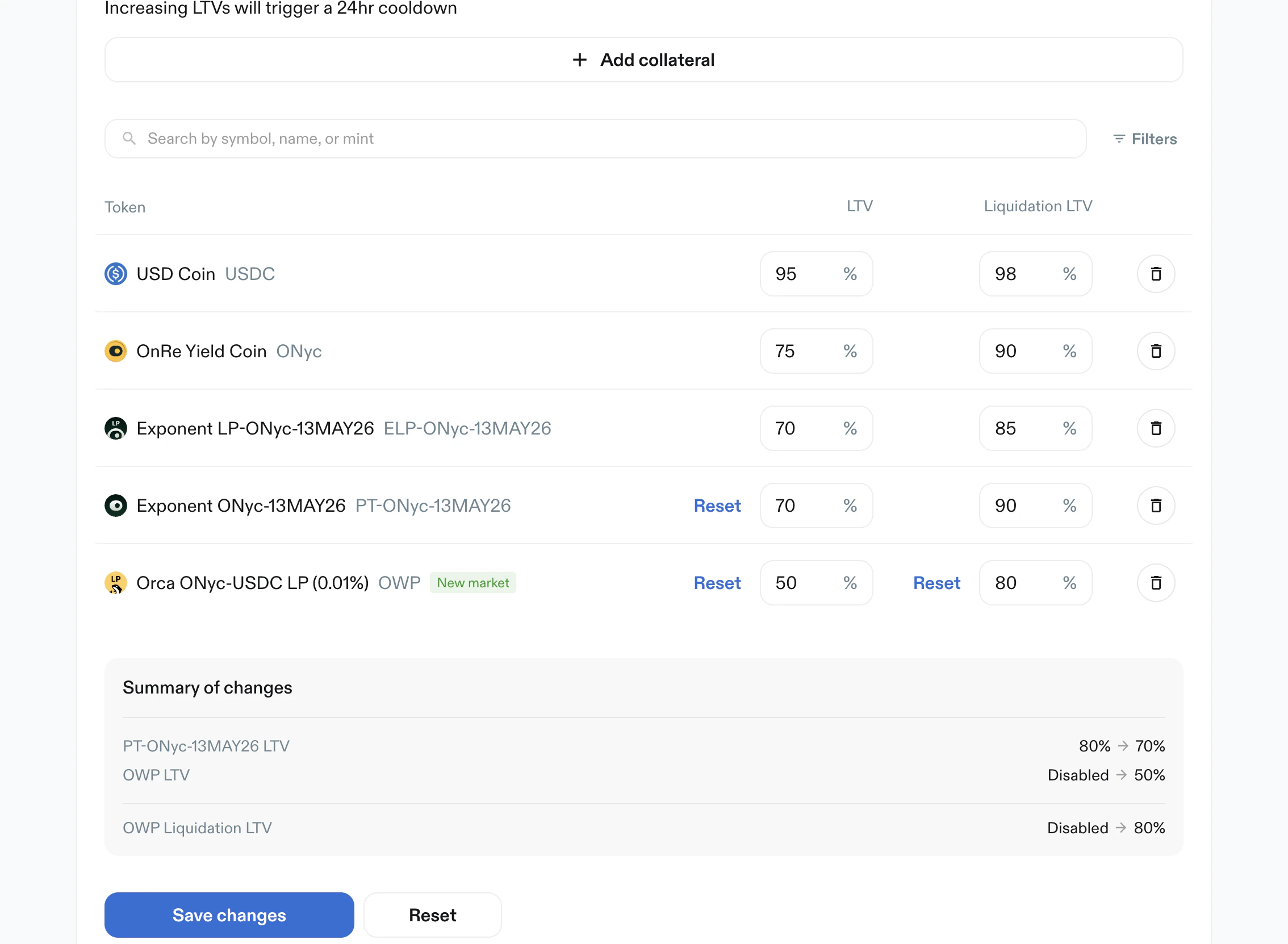
Save changes action.
Rates
Purpose: set APY by token and tenor. Key elements:- Search and filters
- Token table with tenor columns:
1 day APY1 week APY1 month APY3 months APY
- Each tenor can be set to:
- a numeric percent value
Disabled
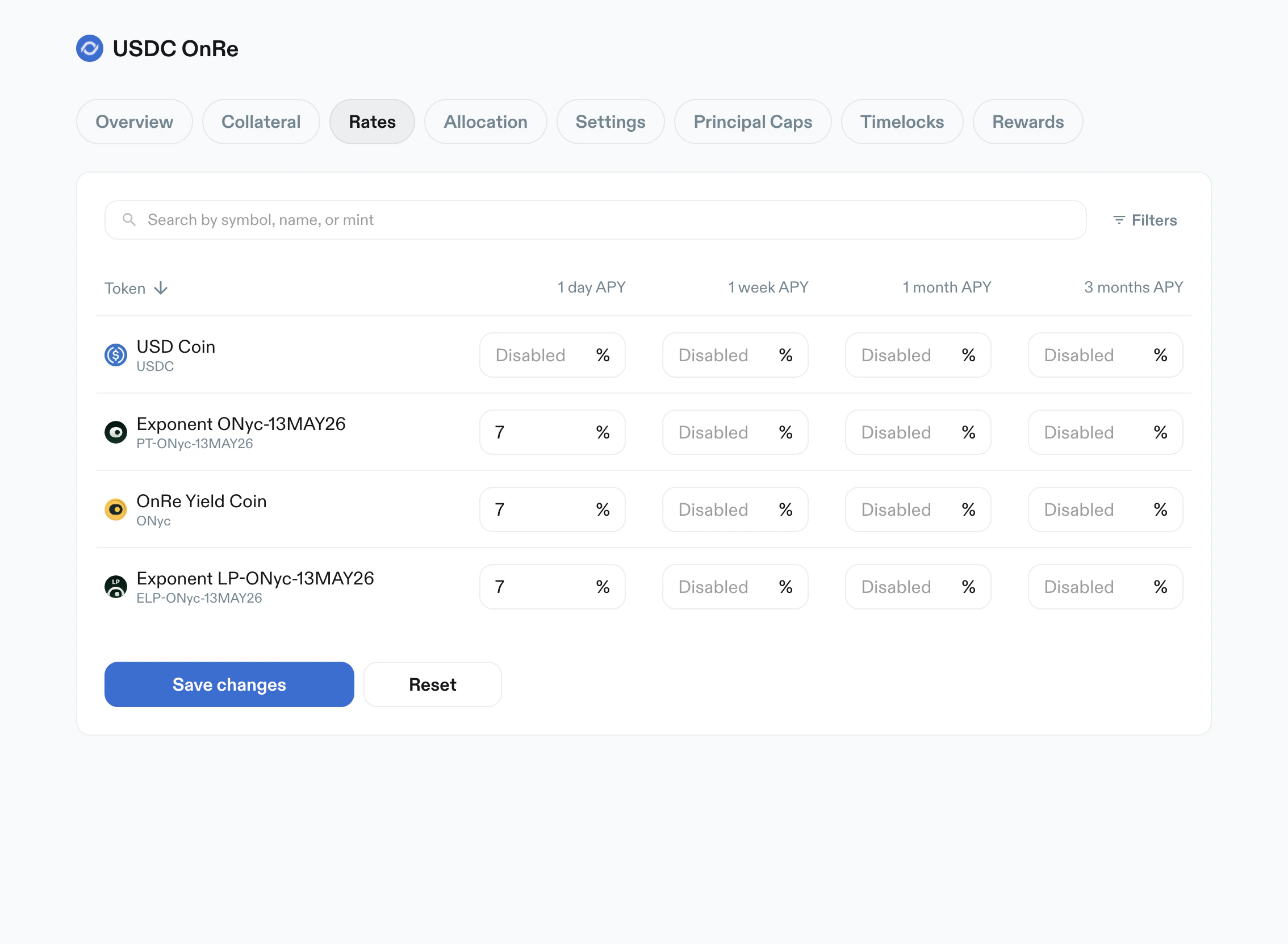
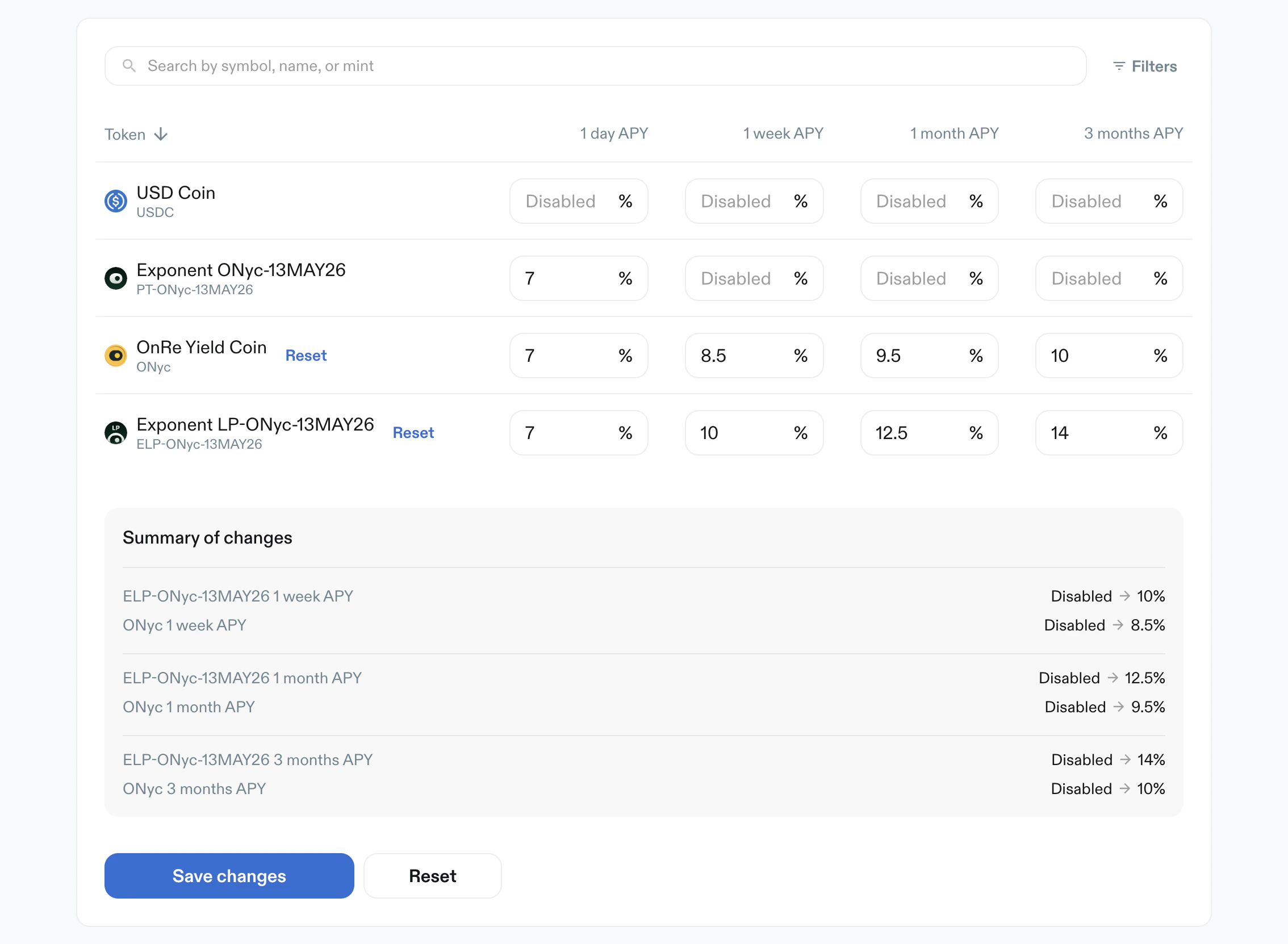
Disabled to active APY values.
Allocation
Purpose: cap max allocation per token. Key elements:- Warning: increasing allocation triggers a 24-hour timelock
- Search and filters
Max Allocation %per token- Values can be numeric or
Disabled, and can’t exceed 100% - Primary action:
Create Limits
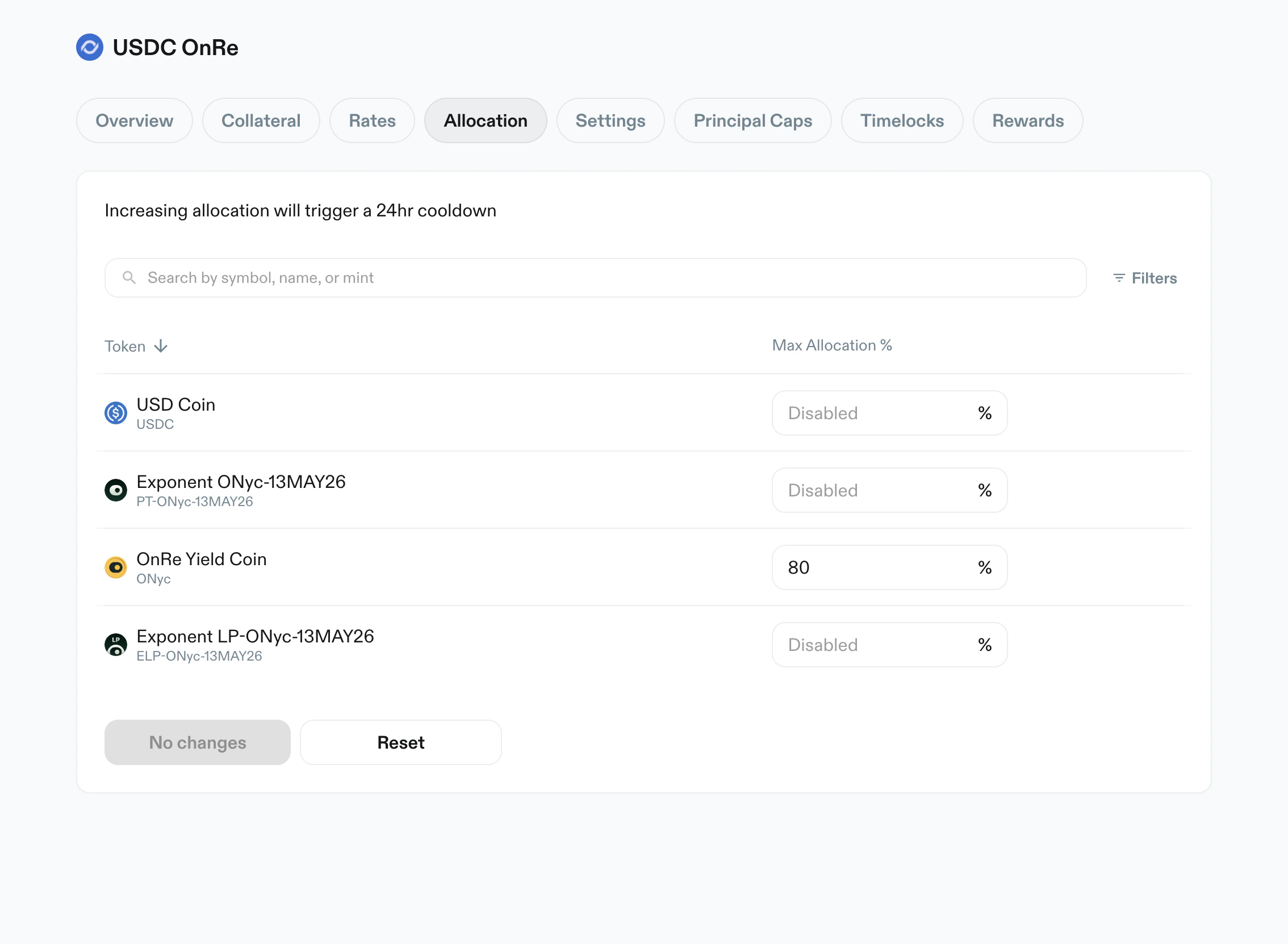
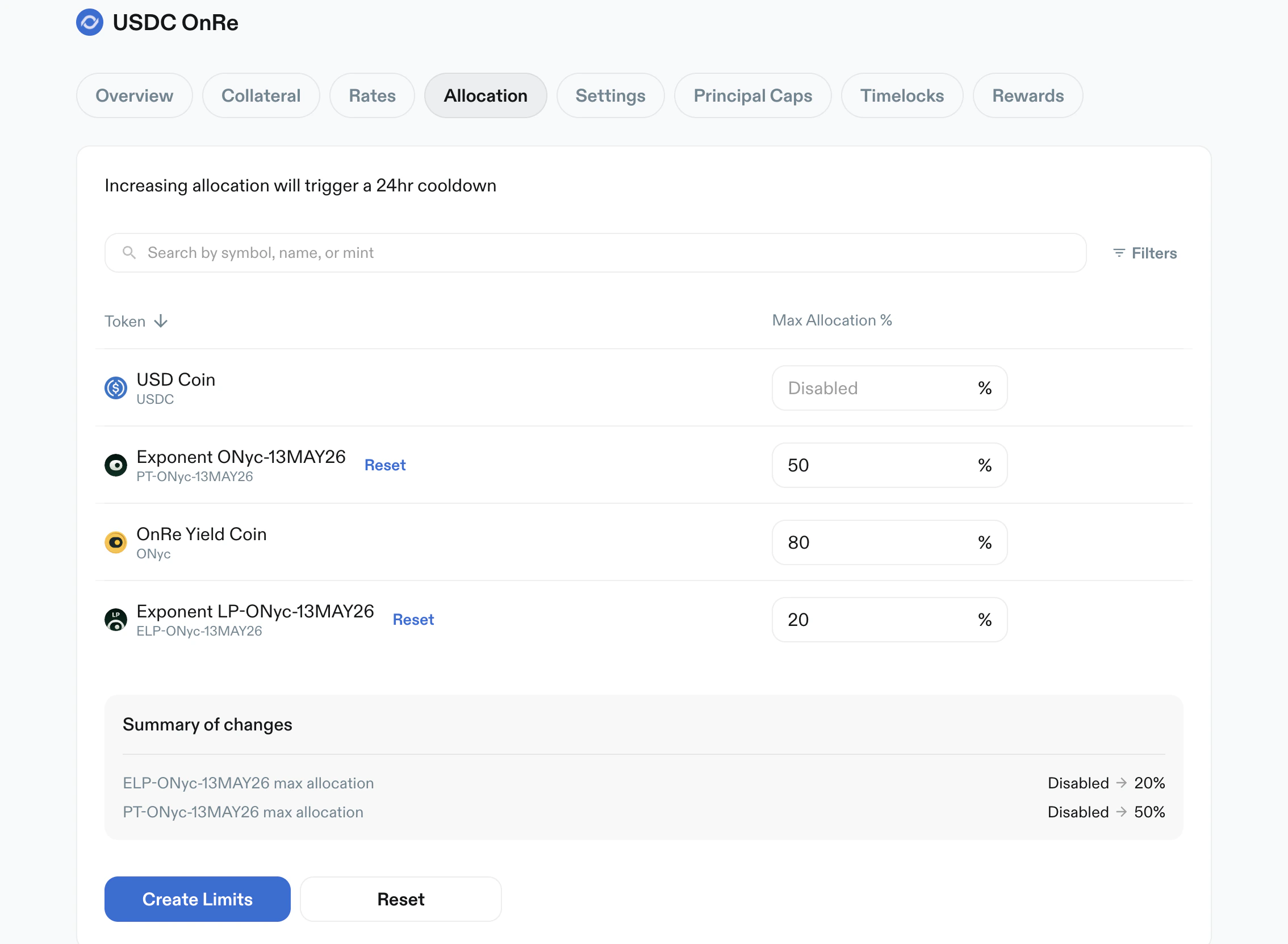
Create Limits apply action.
Settings
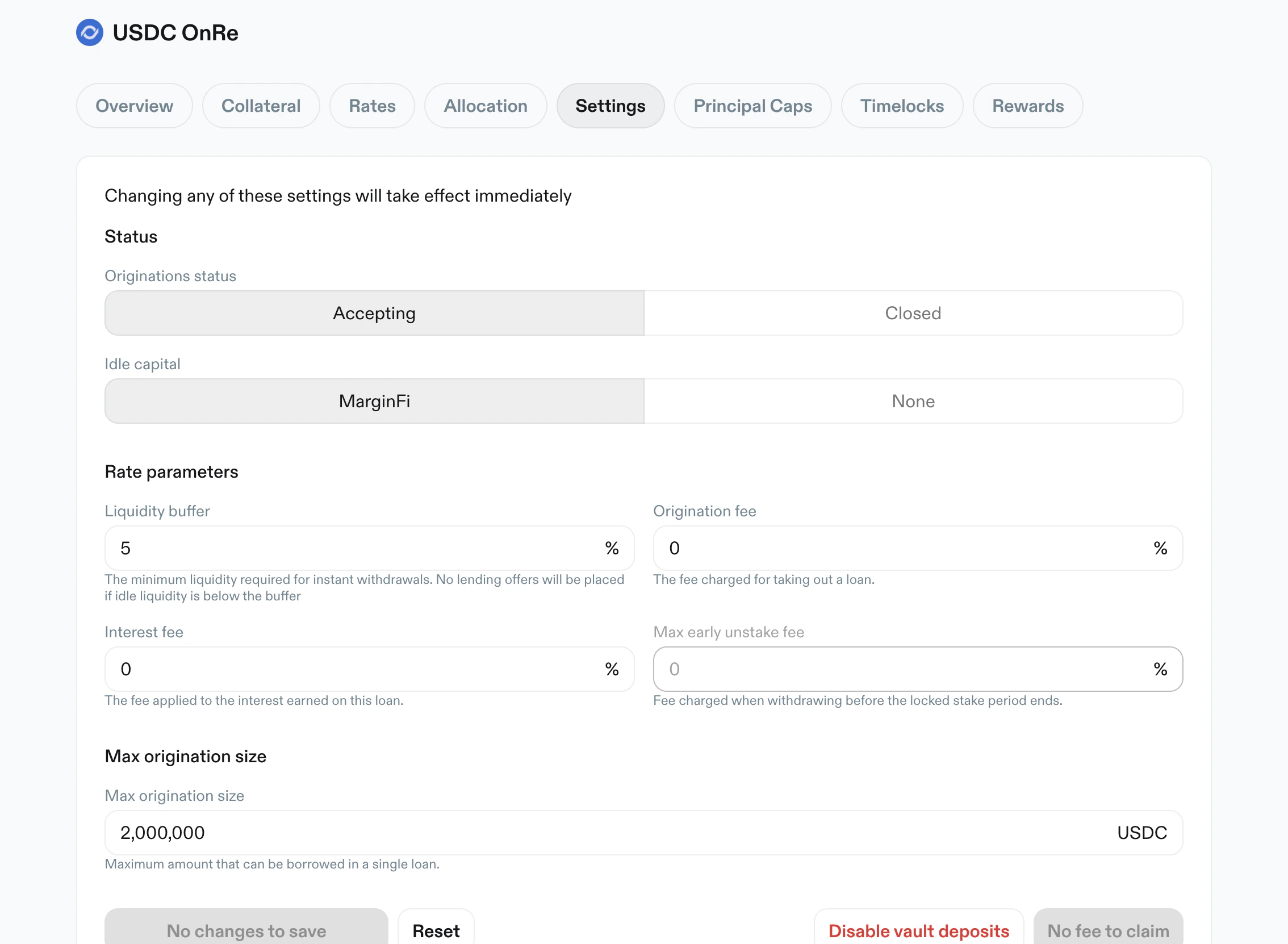
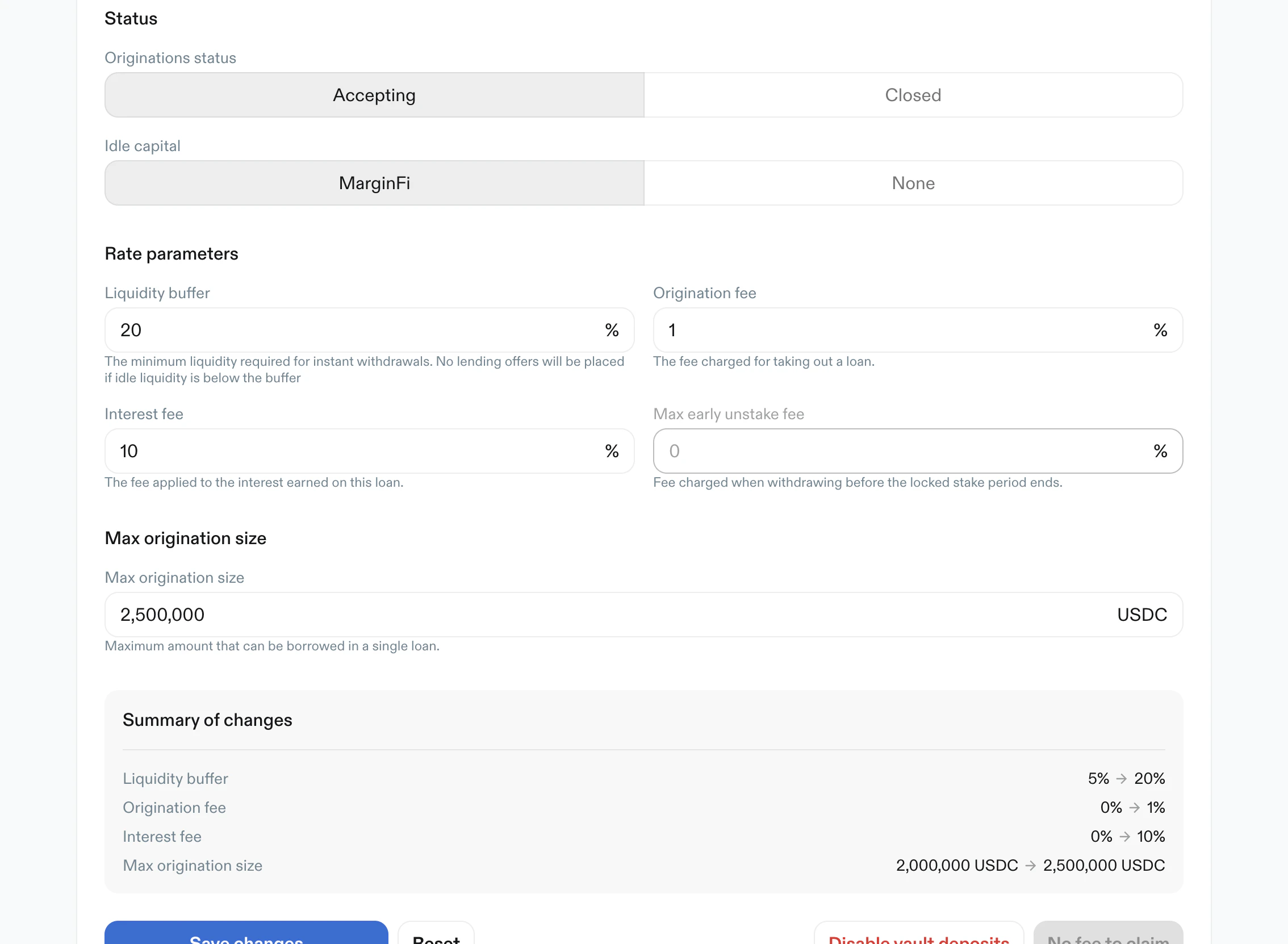
Purpose: configure vault-level operating and fee behavior. Key elements:Disable vault deposits/Enable vault deposits, which sends its own transaction and takes effect immediatelyStatus:Disable originations/Enable originationsFees:Origination feeInterest fee
Fund Management:Idle capitalrouting (MarginFiorNone)Liquidity bufferMax origination sizewith principal symbol suffix (e.g. USDC)
Pending Updatevalues under a field while a change is waiting on its timelock- Primary action:
Save changes - Fee claim action (
No fee to claimwhen unavailable)
Principal Caps
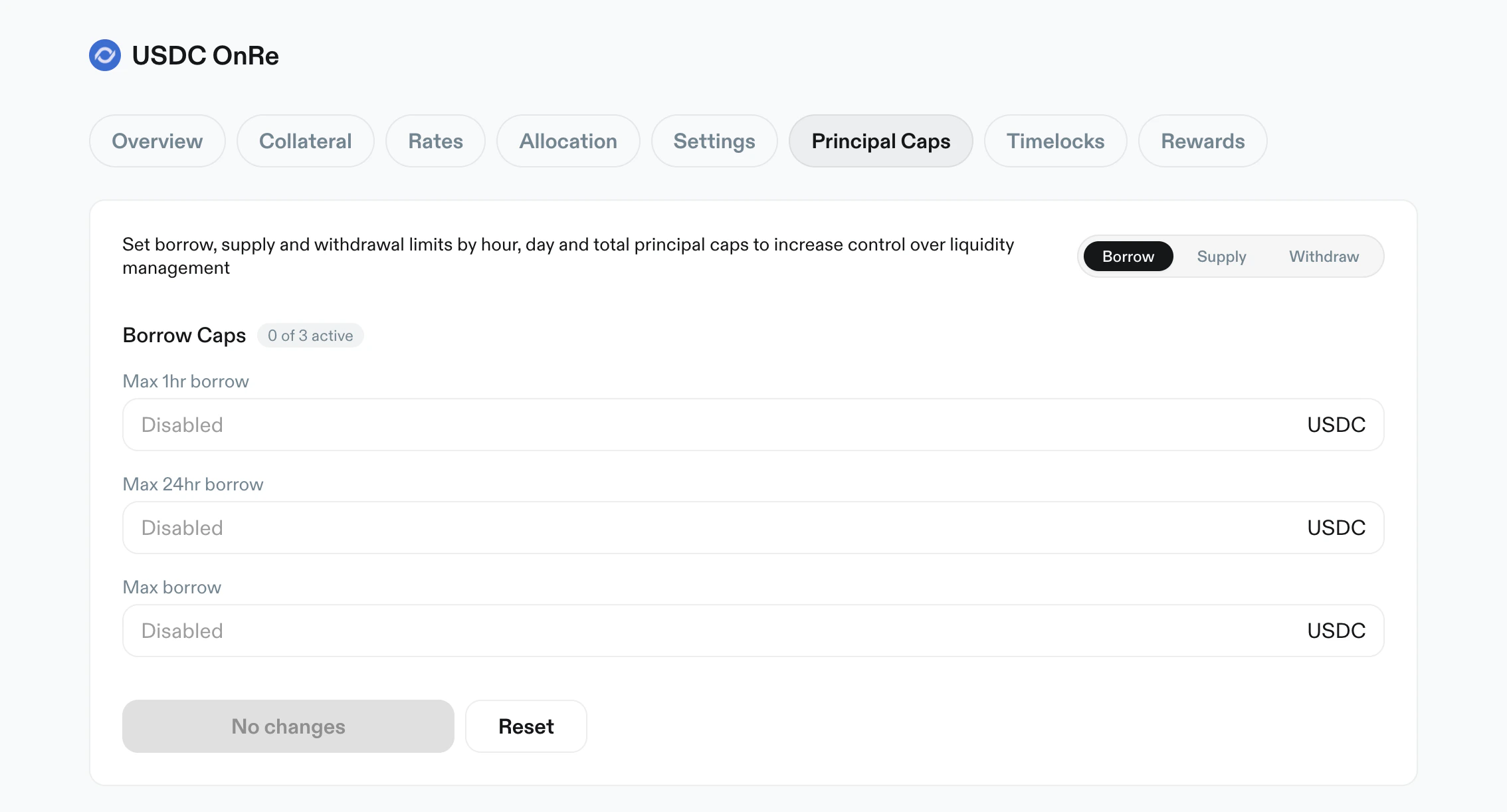
Purpose: control borrow/supply/withdraw throughput over 1-hour and 24-hour windows. Each window starts with the first action after the previous one expires. Key elements:- Scope toggle:
BorrowSupplyWithdraw
- Cap inputs by scope:
Borrow:Max 1hr borrow,Max 24hr borrow,Max borrowSupply:Max 1hr supply,Max 24hr supply,Max TVLWithdraw:Max 1hr withdrawals,Max 24hr withdrawals
Disabledis supported for unset caps- Usage progress bars show utilized value and percentage for active caps
- Primary action:
Create Principal Caps - Lowering caps has no delay
Timelocks
Purpose: inspect and filter scheduled and historical manager actions. Key elements:- Status filters:
PendingExecutedCancelled
- Sort direction toggle
Include Instantfilter (not available onPending)- Entry cards include:
- status badge
- action type badge (e.g.
Update LTV,Add Collateral) - shortened reference
- relative and absolute timestamps
- expand/collapse caret
- cancel action on pending entries
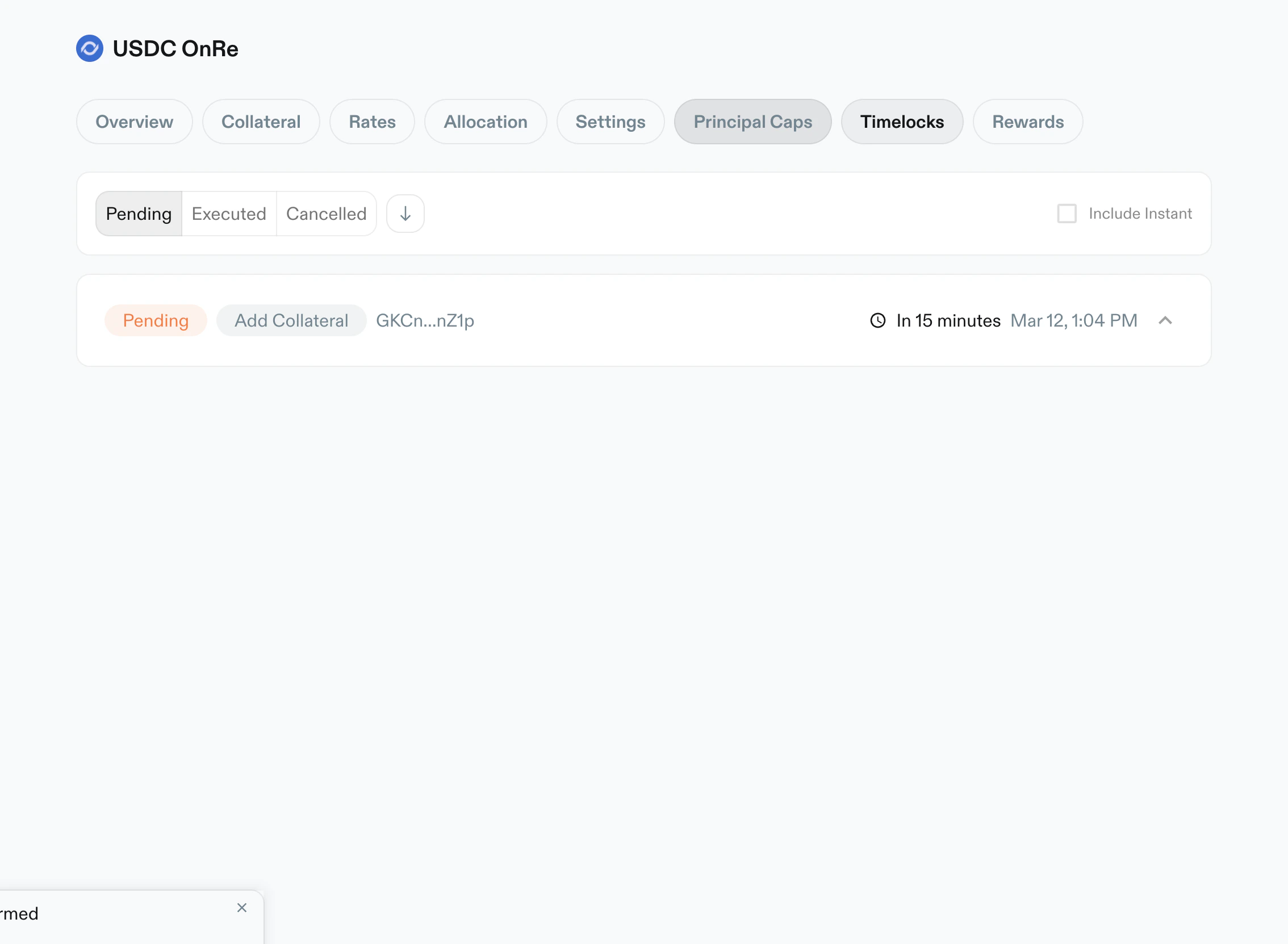
Pending, showing scheduled updates and time remaining.
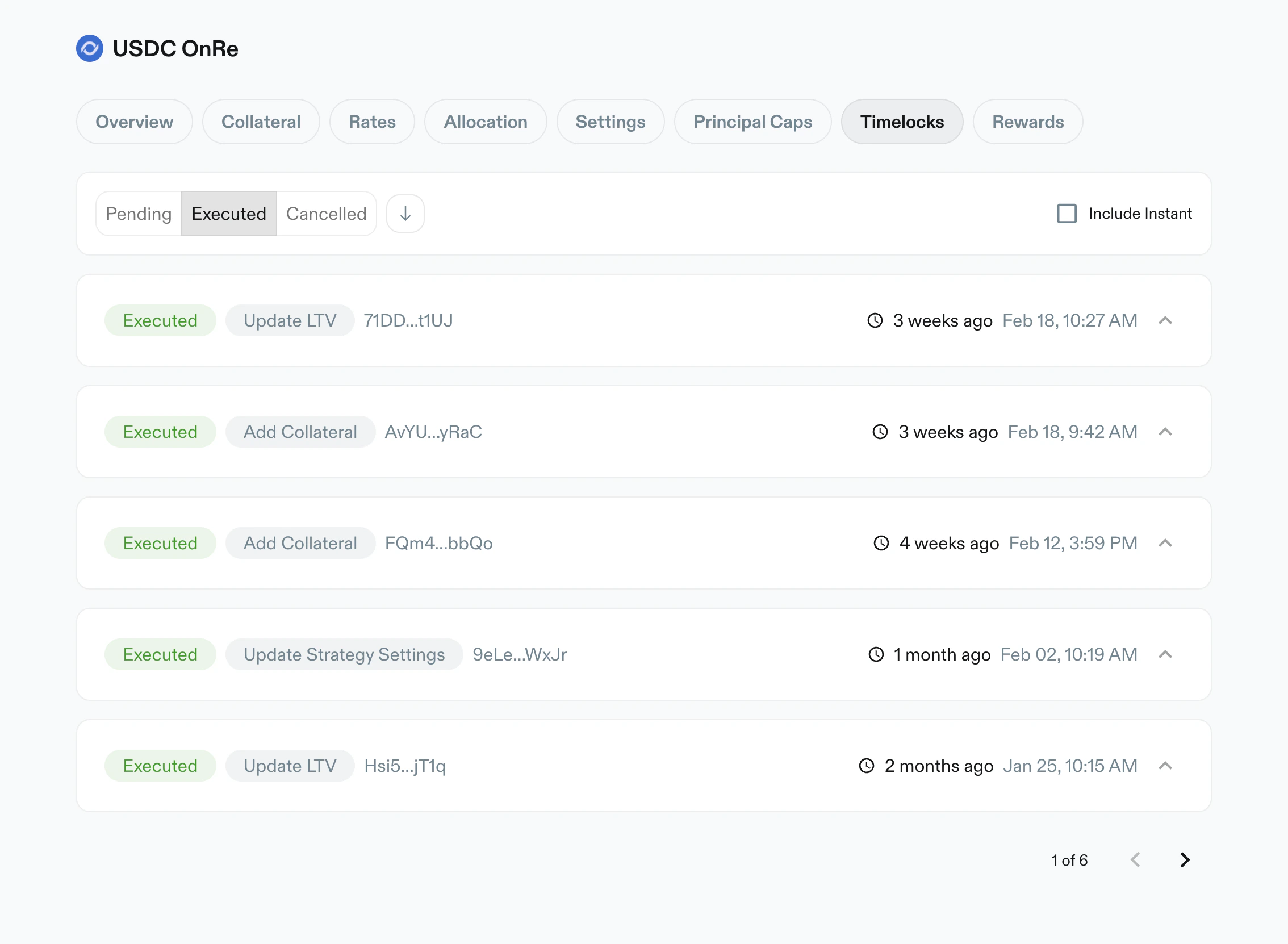
Executed, listing completed manager actions with timestamps.
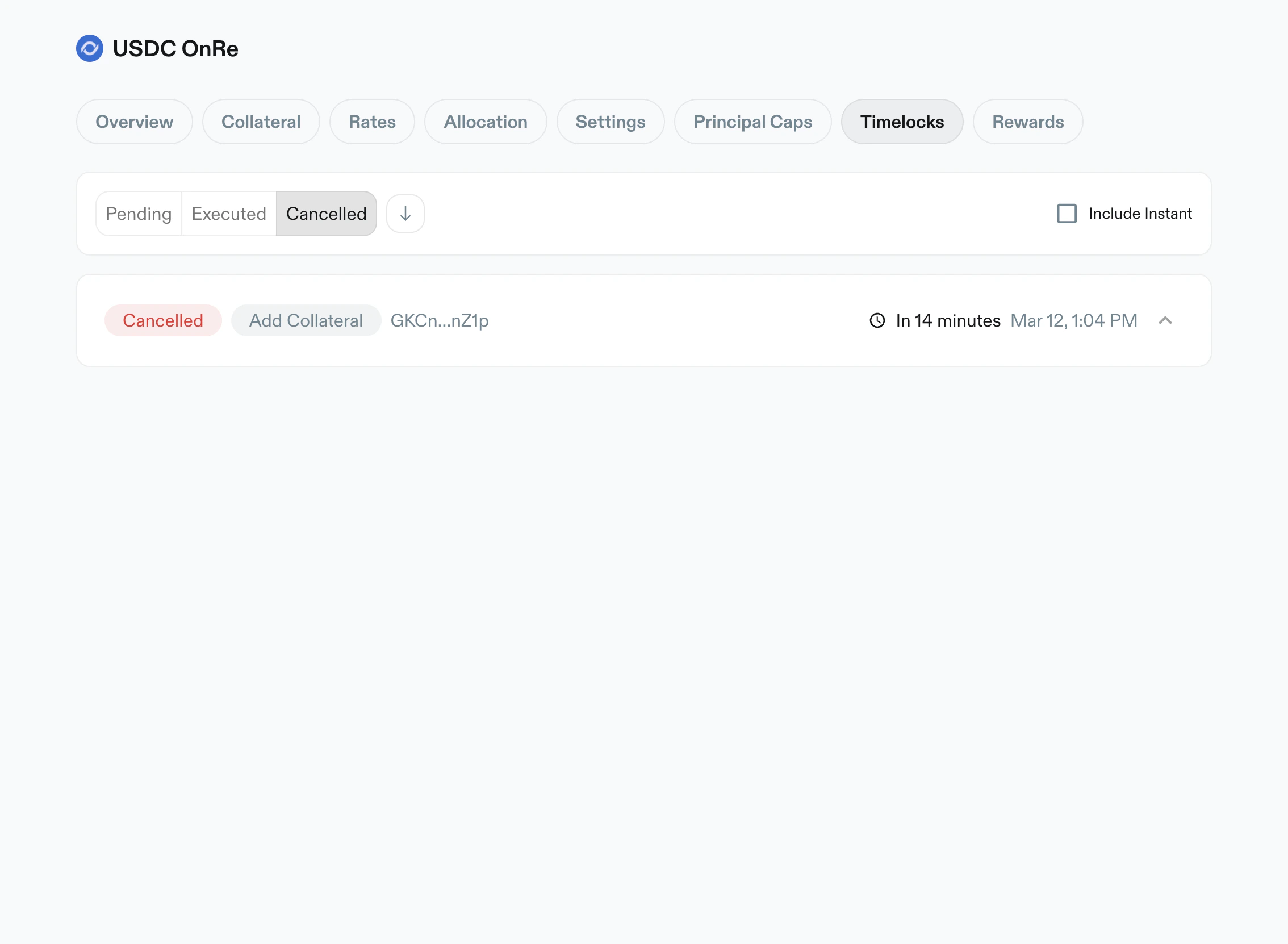
Cancelled, showing aborted actions and history metadata.
Timelock delays
Delays apply once a vault is live. A vault with deposits disabled and no LP supply has no delay on any change.Rewards
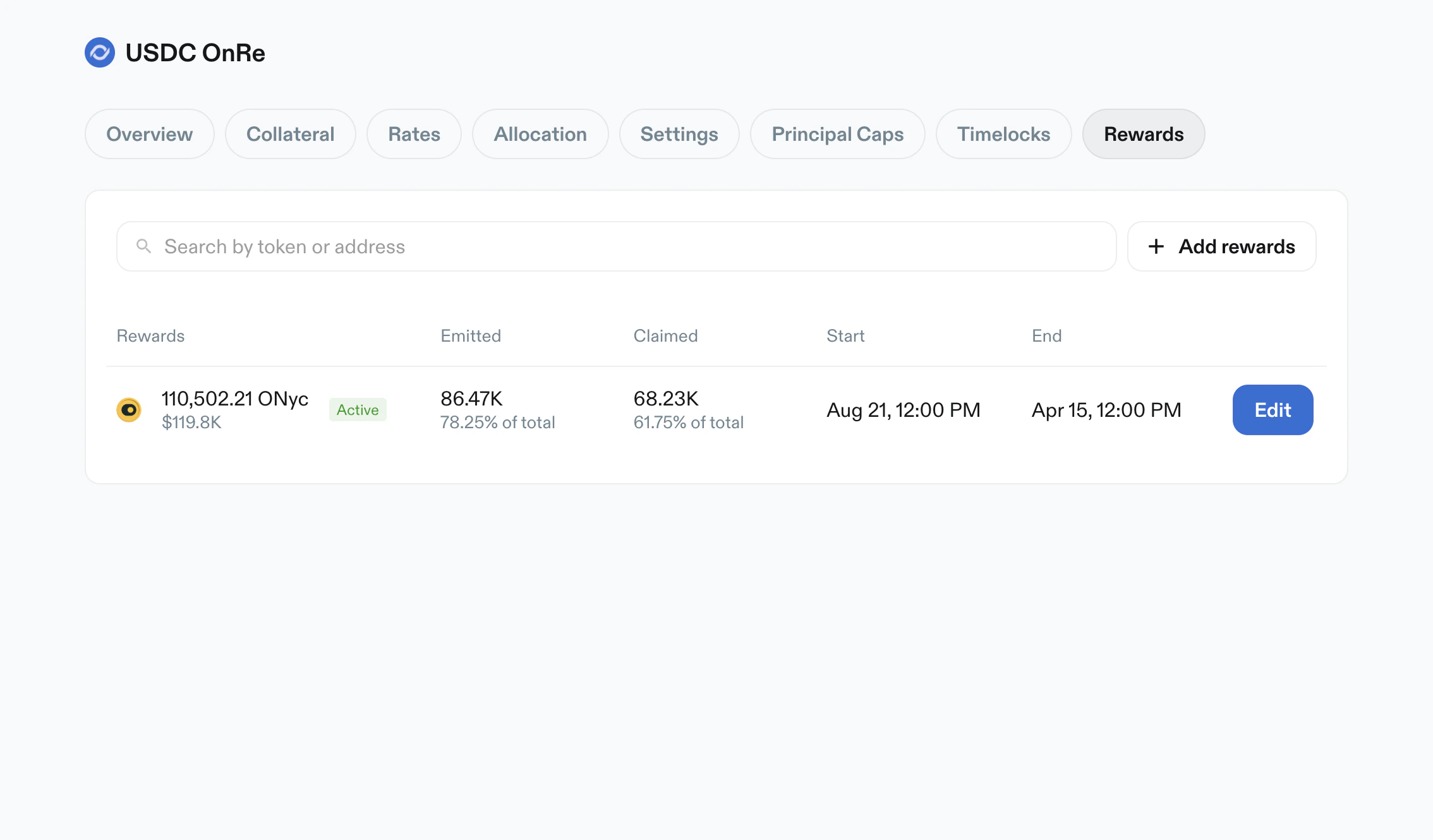
Purpose: manage reward schedules and emissions for vault depositors. Key elements:- Search by token/address
+ Add rewardsaction- Rewards table columns:
RewardsEmittedClaimedStartEnd- row action (
Edit)
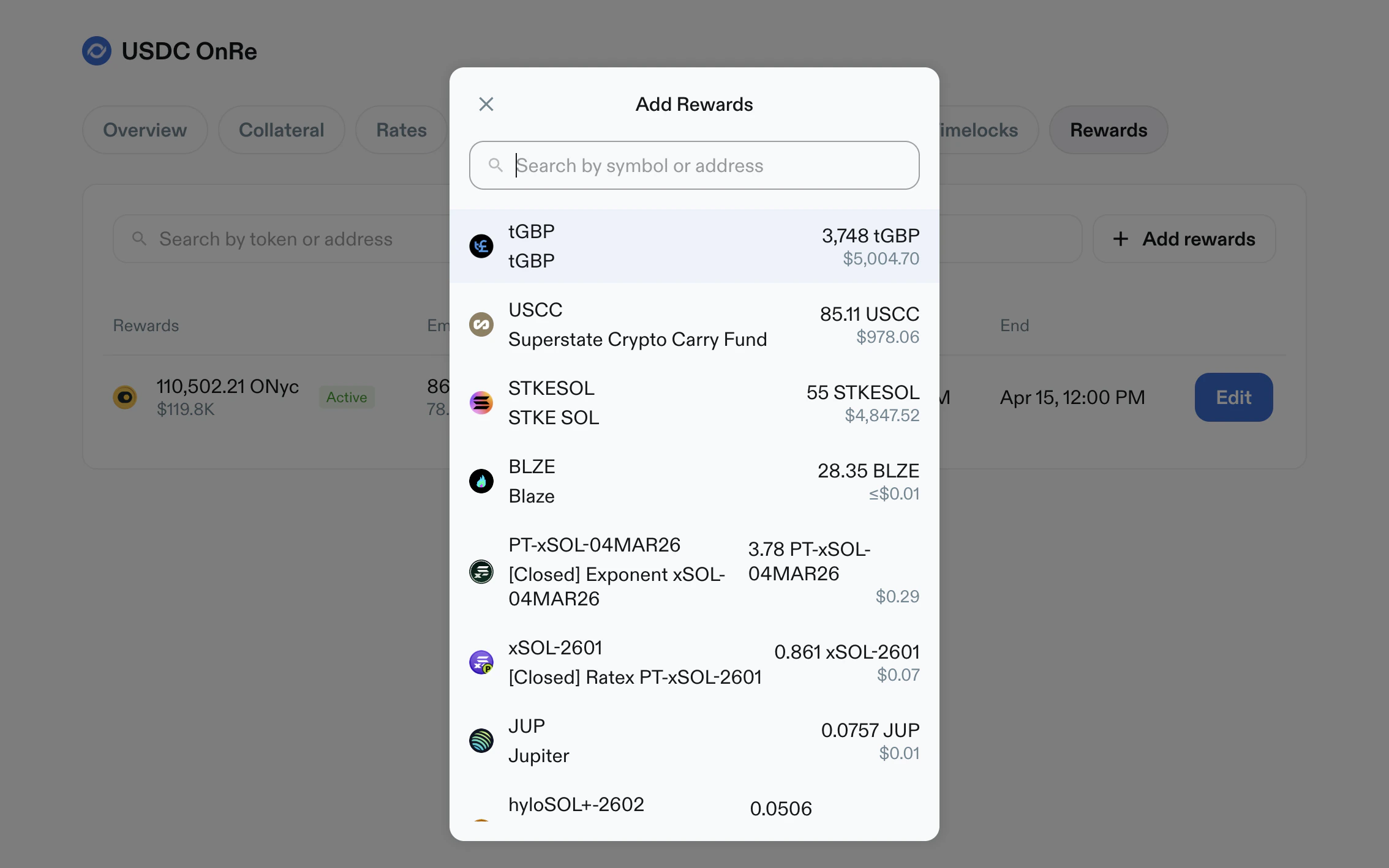
- Add Rewards modal:
- token search
- selectable wallet token list with amount and USD estimate
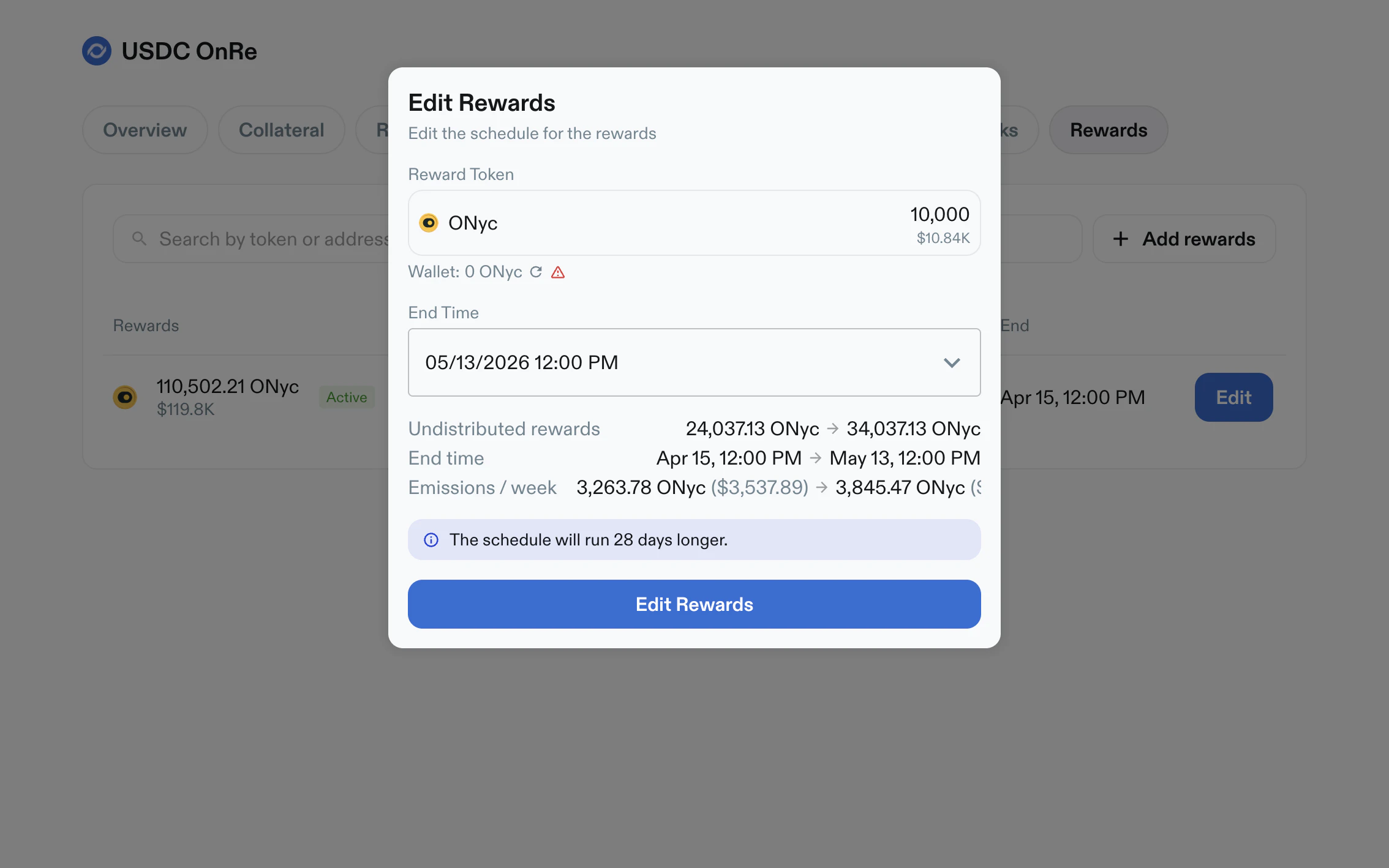
- Edit Rewards modal:
- reward token summary and wallet balance
- editable schedule end time
- computed change preview (undistributed rewards, end time, emissions/week)
- warning/info banners for historical schedule edits
Operational Notes
- Higher-risk changes are surfaced through timelock flows.
- Unsaved edits are explicitly summarized before apply.
- Disabled states are represented in-table (for example
Disabledcaps or APY tenors). - Pagination appears in large lists (collateral, rates, allocation, timelocks).